Download

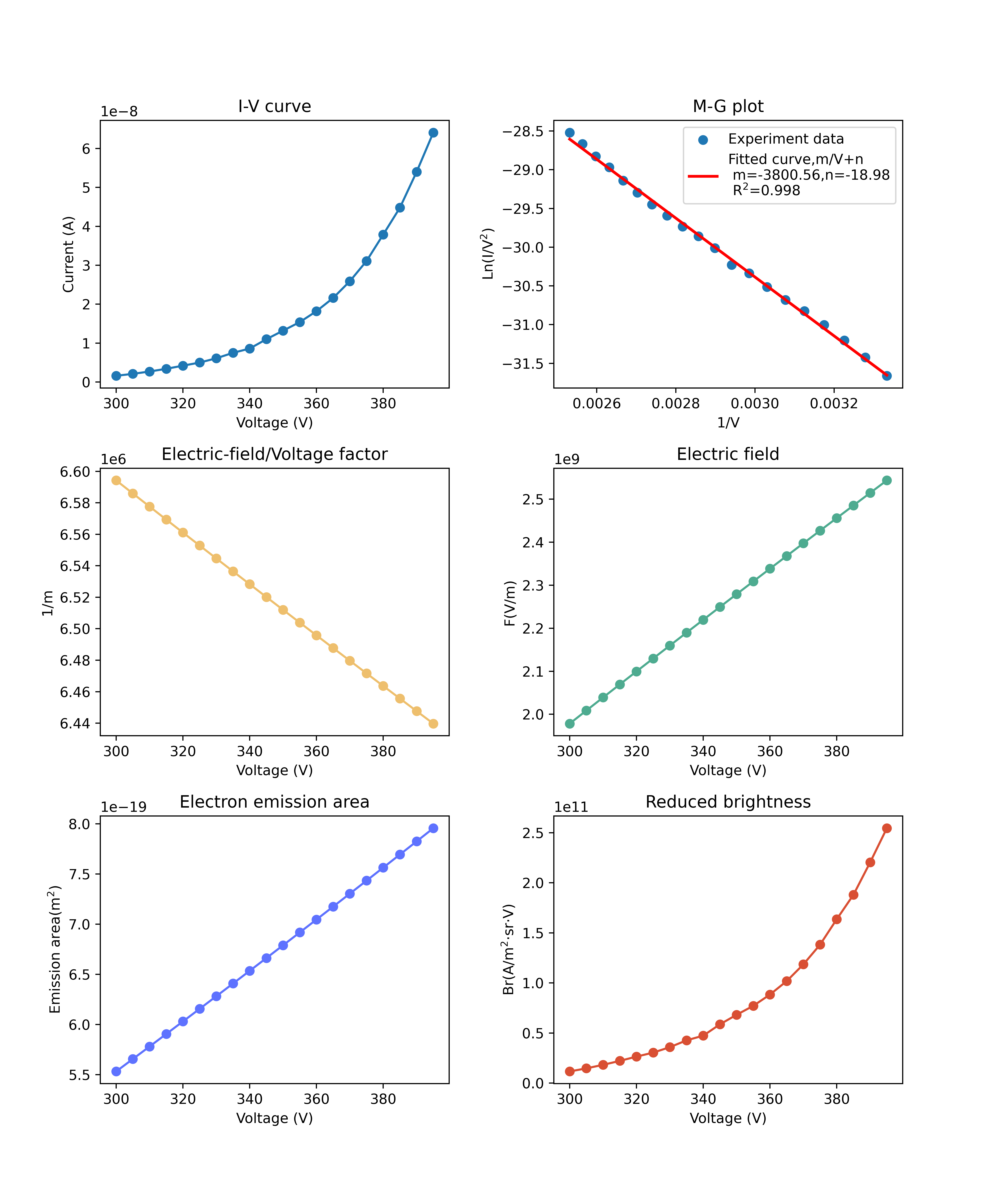
- This software is used to quickly analyze the I-V data of field emission experiments and to calculate the key parameters of field emission, such as field enhancement factor, electric field, emission area, and brightness, based on the M-G field emission theory which considers the mirror potential energy.
Introduction
- How to use this interface to calculate I-V experiment data?
- 1.The data file should be .xlsx format with distinguishable column names, such as 'Voltage(V)' for voltage data column and 'Current(A)' for current data column.
- 2.All units should be SI units. Volt for voltage and ampere for current. If your original data unit is not SI units, such as μA, you should convert them to SI units by multiplying a constant before using this interface.
- 3.Filling the 'File settings' section on the interface with corresponding column names in your .xlsx file.
- 4.Choosing data files and setting relative work function and field enhancement factor.
- 5.Choosing calculating mode. 'Fixed WF' mode allows you to fix the work function value with input work function during calculation and automatically estimate corresponding field enhancement factor with M-G theory. 'Fixed FEF' mode allows you to fix the field enhancement factor value with input field enhancement factor during calculation and automatically estimate corresponding work function with M-G theory.
- 6.Choosing result files saving path, and start calculating. The result includes a preview picture and a .xlsx data file.
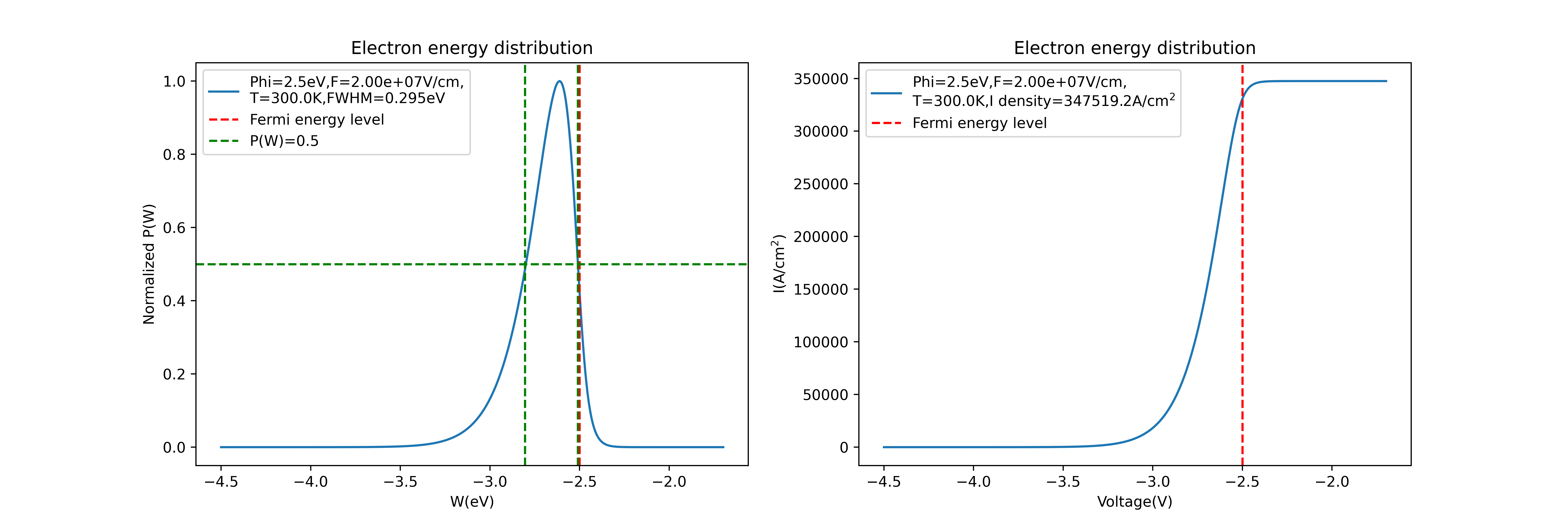
- How to use this interface to calculate FEED of a field emission process?
- 1.Setting relative work function, temperature and electric field values.
- 2.Choosing result files saving path, and start calculating. The result includes a preview picture and a .xlsx data file.
- Some preview result images are as follows:
- update date:2025.05.24 If you meet any problem or have any advice, please send emails to tangsh58@mail.sysu.edu.cn and goumk@mail2.sysu.edu.cn, thanks!